How to make an Interactive Comic
Haz clic dentro del juego para activar los controles.
Haz clic dentro del juego para activar los controles.
Quite a few things to note:
-I would be willing to do this for anyone who doesn't have Flash if they ask.
-I'm afraid you can't ask me anything about coding since I know nothing about it yet, it took me forever to write the code itself, and of course I just had someone else do it in the end when it didn't work just right.
Really stresses the question why I am making a tutorial in the first place.
-I actually got this idea from the new TF2 comic style, it's not the way they do it, but it is a way to do it.
You should check them out anyway, it is a better example of how to properly use this style than my comic [www.teamfortress.com/bloodbrot…](https://www.deviantart.com/users/outgoing?http://www.teamfortress.com/bloodbrothers/)
-That comic was actually from Foxtrot
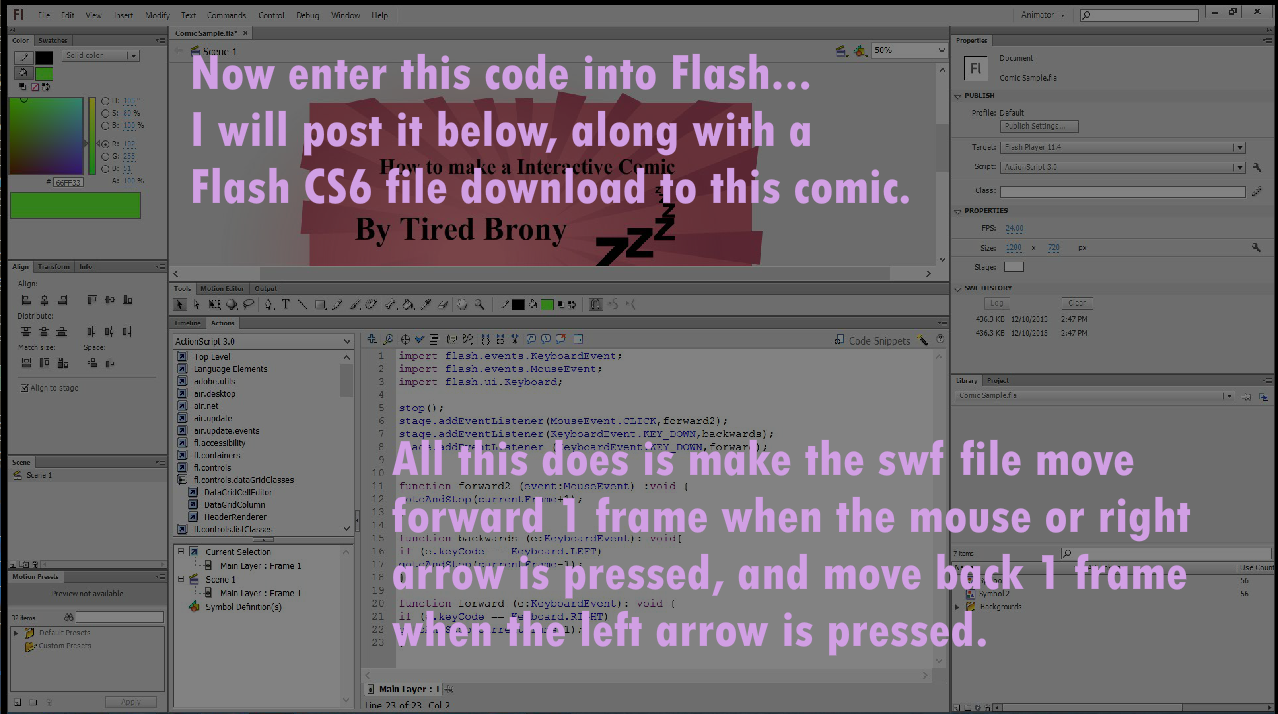
-Here is the code:
import flash.events.KeyboardEvent;
import flash.events.MouseEvent;
import flash.ui.Keyboard;
stop();
stage.addEventListener(MouseEvent.CLICK,forward2);
stage.addEventListener(KeyboardEvent.KEY\_DOWN,backwards);
stage.addEventListener (KeyboardEvent.KEY\_DOWN,forward);
function forward2 (event:MouseEvent) :void {
gotoAndStop(currentFrame+1);
}
function backwards (e:KeyboardEvent): void{
if (e.keyCode == Keyboard.LEFT)
gotoAndStop(currentFrame-1);
}
function forward (e:KeyboardEvent): void {
if (e.keyCode == Keyboard.RIGHT)
gotoAndStop(currentFrame+1);
}
\_\_\_\_\_\_\_\_\_\_\_\_\_\_\_\_\_\_\_\_\_\_\_\_\_\_\_\_\_\_\_\_\_\_\_\_\_\_\_
I downgraded to DRB puppets so I could share this
Flash CS6 Download: [www.mediafire.com/?tlvbj59h595…](https://www.deviantart.com/users/outgoing?https://www.mediafire.com/?tlvbj59h595ilmo)